How to make a cinematic AI video with consistent characters.
Build an AI story video as connected scenes: approve recurring characters and worlds, generate story images in bulk, choose the shots that deserve motion, preview the sequence, and export the project for final editing.
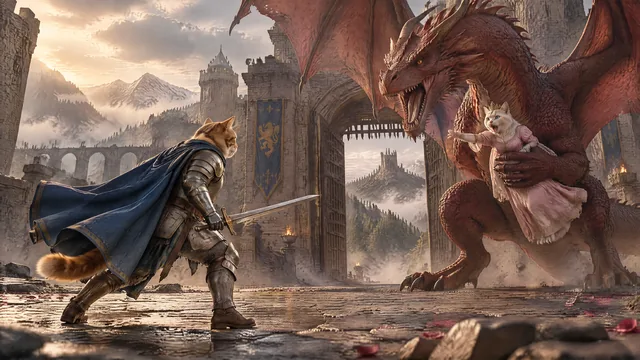
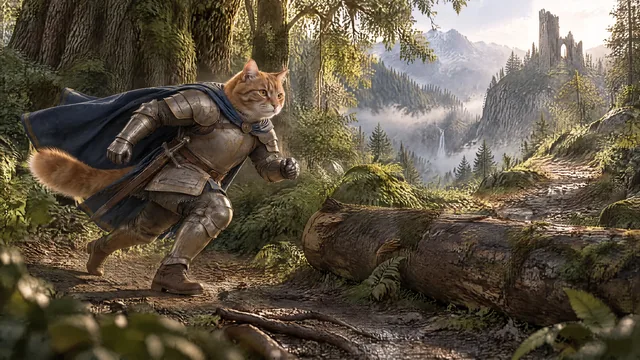
One character. Different scenes. Same identity.

A cinematic AI story breaks quickly when the hero changes face, costume or body proportions. Use References to preserve identity while the shot prompts control pose, action, framing and location.
- Approve the hero before the full batch.
- Attach only the references each shot really needs.
- Review all stills before paying for video.
- Keep multiple image and video versions when testing.

Spend quality where the audience can feel it.
Hook and hero shots
Use your strongest image and video settings for the opening, reveals and shots that sell the world.
Story coverage
Use efficient settings for travel, dialogue, reactions and continuity shots that carry the story forward.
Late-video efficiency
Use lower-cost settings where the edit, narration and already-established world do more of the work.
Design recurring identities and worlds
Characters, creatures, props and locations that return should have approved references.
Generate story images in bulk
Review continuity across the whole sequence before choosing which images deserve animation.
Select the video shots
Animate action, emotional reveals, camera moves and retention moments instead of automatically animating everything.
Preview and export
Watch the edit, check transitions and audio, then hand an organized project to the editor.
Cinematic AI video questions.
What makes a cinematic AI video feel consistent?
Recurring characters, creatures, props and locations need stable references, while camera angle and composition should still vary from shot to shot.
Do I need the most expensive model on every shot?
No. Reserve your highest-quality settings for hooks, hero shots and difficult action. Use efficient settings for connective coverage.
Can I preview a cinematic edit before exporting?
Yes. A preview step lets you check shot order, timing, motion and transitions before the Premiere handoff.